HOW IT WORKS
From one open product page to a local review set you can inspect.
There is no account setup. The workflow is deliberate: define a review target, verify an exact-star filter when needed, inspect the local set, then export only if the format suits your next step.
REAL REVIEW STUDIO CAPTURE
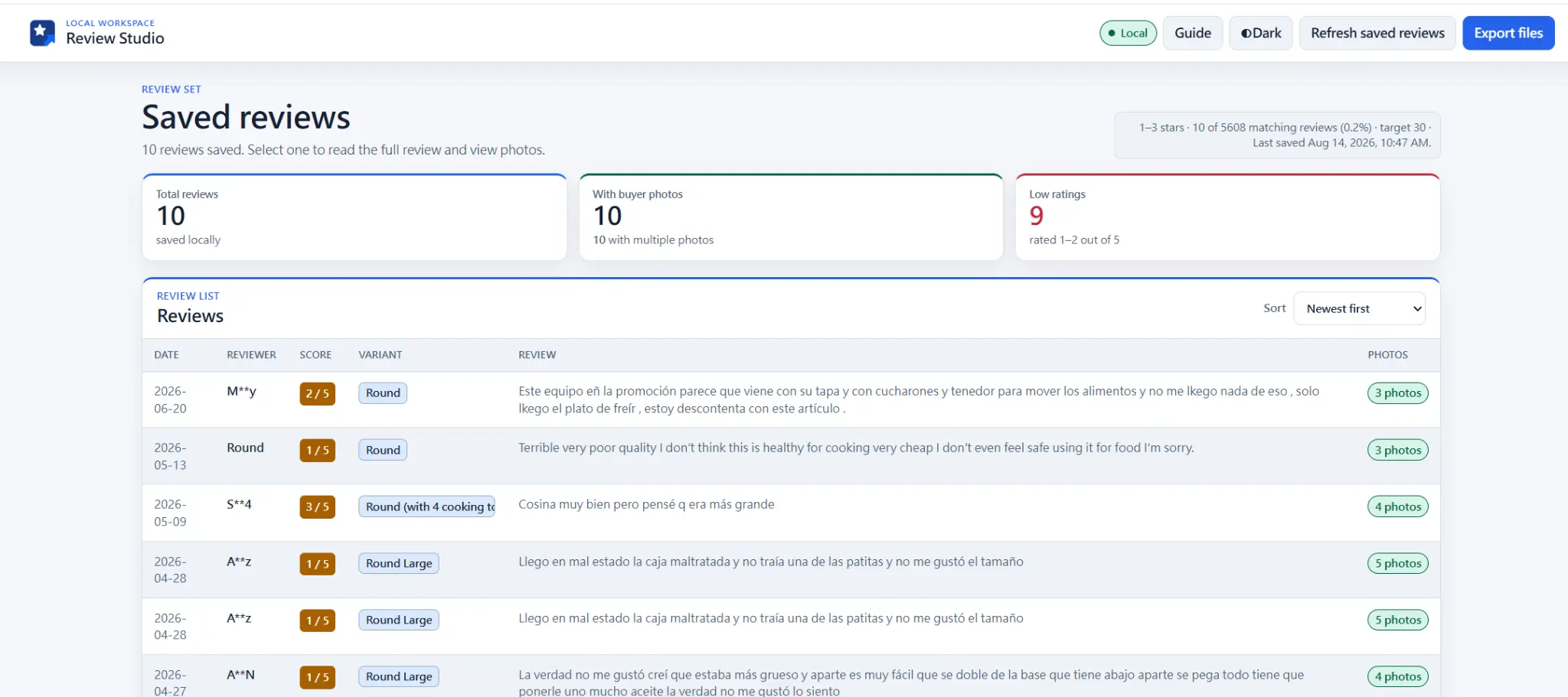
The local workspace keeps a review set inspectable before you choose an export.
This user-supplied capture shows ten reviews saved locally, clear N / 5 score badges, variants, visible review text, buyer-photo counts, and partially masked reviewer names. Inspect the rows before you choose an output format.
REAL REVIEW DETAIL CAPTURE
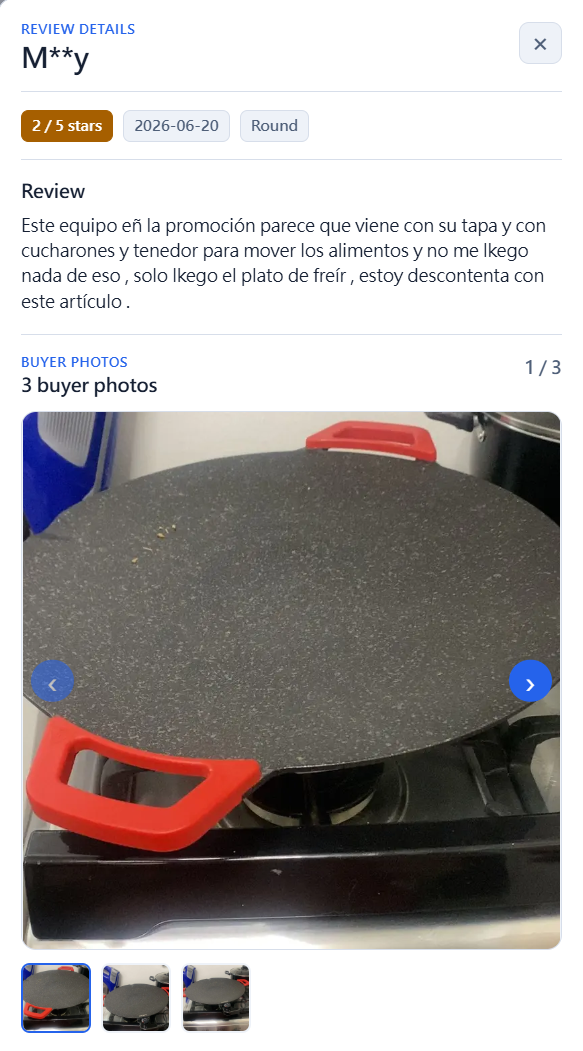
Open a saved row when you need the review in context.
This user-supplied Review detail capture shows a partially masked reviewer label, a clear 2 / 5 stars score, date, Round variant, original review text, buyer-photo counter, and photo carousel. ReviewPort displays the local record you selected; it does not infer information that is not present.
SEVEN STEPS
Use the extension in the order the research task requires.
ReviewPort does not run background collection or guess what you want to study. Each stage starts with a choice you make on the page in front of you.
- 01
Open the product page and its reviews
Choose the TikTok Shop product page you want to study, then open its review area. ReviewPort only works on the page you choose.
- 02
Open ReviewPort and set Reviews to collect
Choose the number of visible reviews you want to collect, then select a rating range or photo preference when it fits the question.
- 03
Confirm an exact star rating
For a one-to-five-star scan, ReviewPort checks that TikTok’s visible result count matches that star’s visible histogram count before collection begins.
- 04
Run, pause, or stop
Start the user-initiated local scan. You can pause or stop it; saved reviews remain available for Review Studio after a stop.
- 05
Inspect Review Studio
Review saved records in the local table, including the clear numeric N / 5 score. Open details when you need to read a specific record.
- 06
Choose an Export Center format
Use Custom CSV, Markdown, or an available Shopify review-app format only when it fits. Product-matching formats need your handle or Product ID.
- 07
Respond to verification yourself
If TikTok presents a verification challenge, ReviewPort pauses. Complete the prompt yourself before deciding whether to continue.
Helpful first-run tip: after loading the extension, pin it from Chrome’s Extensions menu so the ReviewPort icon stays visible when you open a product page.
NEXT STEP